-
 Piaff Dibota
- Blog
- Updated on May 5, 2026
What is SaaS SEO? + How to Create a Strategy
Every month your SaaS company ignores SaaS SEO, buyers still search for tools like yours, compare your competitors, read their alternative pages.
They then start free trials and book demos with them instead.
So in simple terms, you lose tens of thousands of dollars in ARR when you don’t investing in SEO.
But how do you avoid that?
That’s why I wrote this article.
This guide explains how SaaS SEO works, which pages matter, and how to turn organic search into trials, demos, and pipeline.
Keep reading.
What is SaaS SEO?
SaaS SEO is the process of improving a software company’s website to rank high in search engines (like Google) and attract qualified traffic. This traffic is visitors who may start a free trial, book a demo, join an email list, or become customers later.
It goes beyond writing blog posts.
A strong SaaS SEO strategy can include product pages, feature pages, use case pages, comparison pages, technical SEO, internal linking, and authority building through backlinks or brand mentions.
SaaS SEO vs General SEO: What's the Difference
SaaS SEO works differently because SaaS companies usually sell software on a recurring revenue model.
A visitor may not buy after reading one article. They might compare tools, check pricing, read reviews, look for integrations, ask their team, and return days or weeks later.
So SEO has to support more than ranking.
It needs to educate people, help them compare options, build trust, and move them toward a trial or demo.
Ahrefs is a good example.
They have an article on how to do keyword research, which show how their software works.
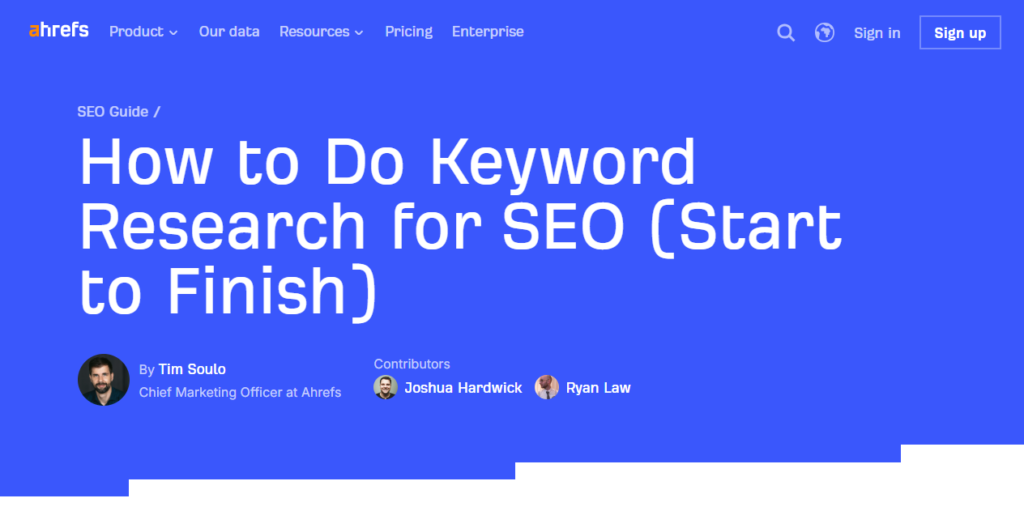
The article then invites readers to learn more about Ahrefs’ keyword research tool. To do that, they visit a product page.
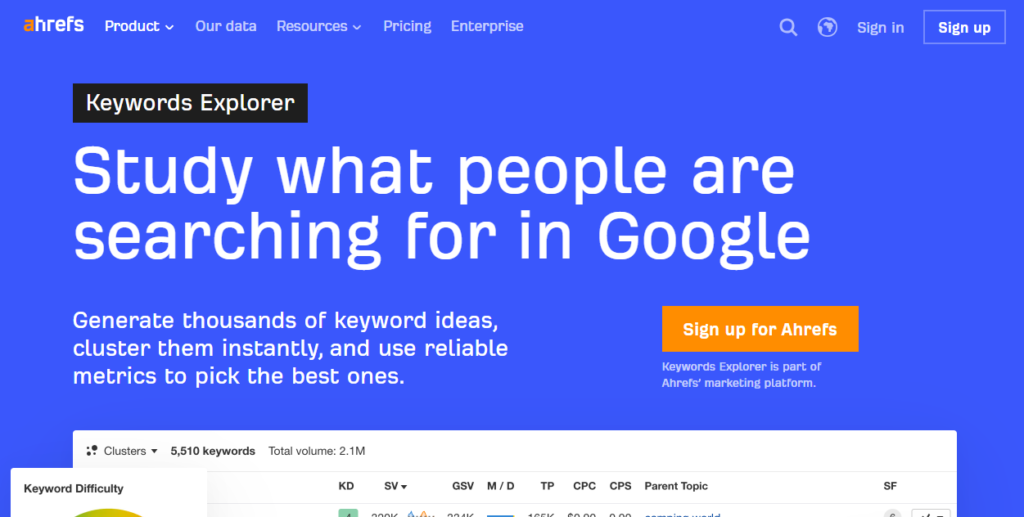
And what if they are not convinced and want to compare it to Semrush? Ahrefs also created a comparison page.

So you educate and move people towards the desired action.
Also, unlike general SEO, measuring SaaS SEO only by traffic can be misleading. A blog post with 20,000 visits can still do little for revenue.
Meanwhile, a comparison page with 300 visits may bring serious buyers.
The better question is: does organic search create pipeline, trials, demos, and customers?
Benefits of SaaS SEO
1. It Captures Buyers Already Searching for Solutions
People searching on Google already have a problem they want to solve.
They may be comparing tools, checking features, looking for pricing, or searching for alternatives to a product they already use.
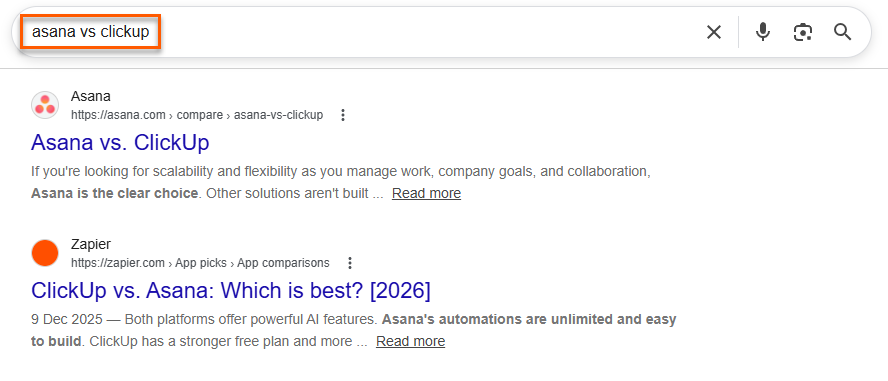
SaaS SEO helps your company appear during these moments, when the buyer has intent instead of vague curiosity.
That makes SEO one of the strongest demand-capture channels for SaaS.
You are not interrupting someone’s day with a random message. You are showing up when they are already asking a question your product can answer.
2. It Reduces Dependence on Paid Ads
Paid ads can bring fast traffic, but the moment you stop spending, the traffic immediately drops.
SaaS SEO works differently.
Once strong pages rank, they can keep bringing qualified visitors without paying for every click.
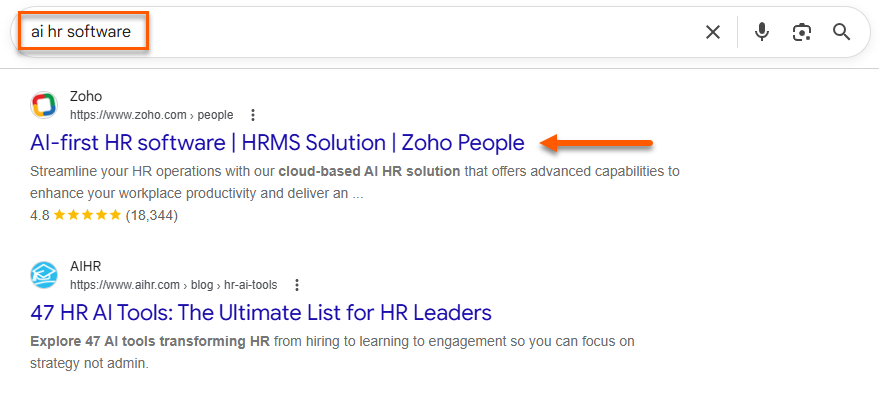
Of course, SEO is not free or instant. You still invest in strategy, content, technical fixes, and authority building.
But over time, it can reduce how much you depend on ads to fill the pipeline.
This saves you a lot when paid acquisition gets more expensive or your best keywords become too competitive.
3. It Supports Long SaaS Sales Cycles
SaaS buyers rarely convert after one visit.
Someone might read a blog post today, compare tools next week, check your pricing later, and then bring the product to their team.
Bigger deals can take even longer because more people join the decision.
According to Arcade, enterprise SaaS deals typically include 8–12 decision-makers, which is a major reason cycles slow down.
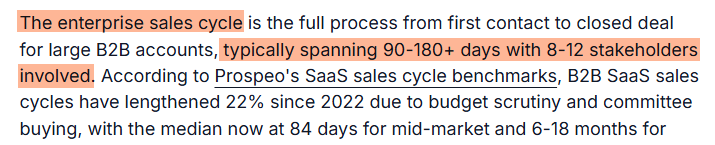
And the typical SaaS sales cycle depends on the deal size and number of stakeholders.
- Deals under $2,000 in ACV tend to close quickly, often within 1–2 weeks, usually after just one or two calls.
- For deals below $5,000, expect around 3–4 weeks on average.
- Deals between $5,000 and $25,000 typically take 2–3 months to close.
- For deals under $100,000, timelines stretch to about 3–6 months, depending on stakeholders and approvals.
- Deals above $100,000 often take 4–9 months, and sometimes close to a year if tied to annual budgets.
- For deals over $500,000, cycles usually run 6–18+ months, heavily influenced by budgeting cycles and timing.
When done well, SaaS SEO keeps your brand present while the buyer is still thinking. Your educational content can explain the problem. Your comparison pages can support evaluation. Your use case pages can show fit.
4. It Builds Trust Before the Sales Call
Strong SaaS content can answer objections before someone ever books a demo.
A buyer may want to know how your product works, who it suits, what makes it different, and whether it connects with tools they already use.
SEO pages can cover those questions clearly. That helps the buyer feel more informed, and it can make sales calls more useful because the basics are already handled.
For example, Apollo.io has an integration page showing the tools it connects with.
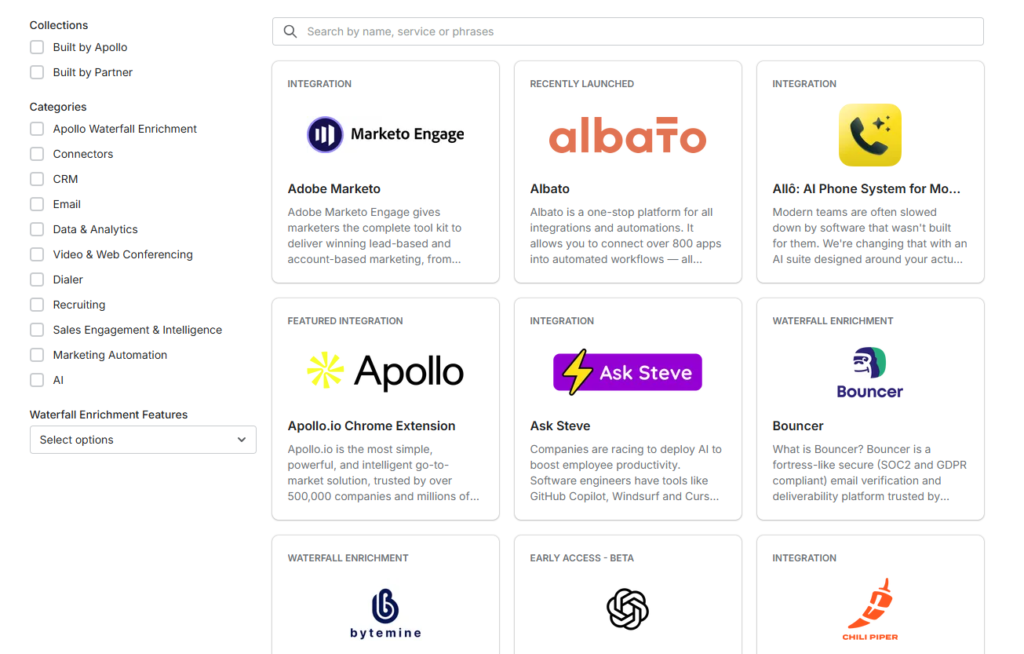
And viewing a specific integration helps you see what you can achieve.
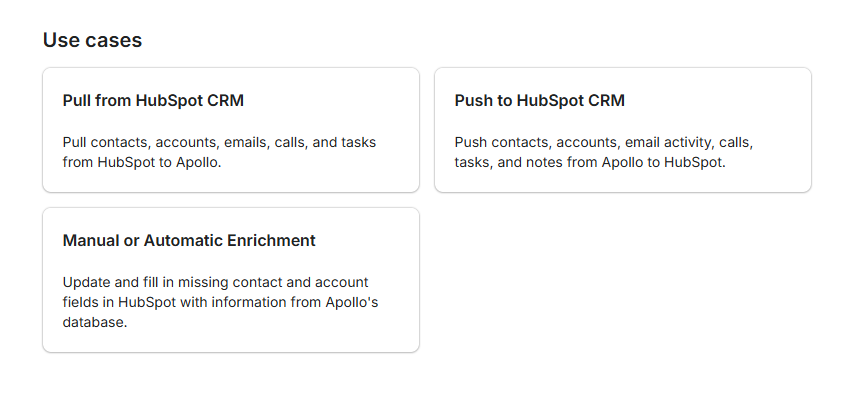
In a small way, good SEO content makes your company feel safer to contact. The buyer has seen your thinking before the call.
How Long Does SaaS SEO Take?
SaaS SEO often takes 3 to 6 months to show results, though competitive markets can take 6-18 months.
The timeline depends on your website authority, keyword difficulty, existing content quality, technical health, publishing consistency, and link quality.
A newer SaaS website in a crowded category may need more time to compete, especially for “best software” or “alternatives” keywords.
But some wins can happen faster.
Updating pages already ranking on page two, fixing indexation issues, improving internal links, and targeting lower-competition BOFU terms can create earlier movement.
The SaaS SEO Funnel
Top-of-Funnel Keywords
Top-of-funnel keywords are used by people who are still learning about a problem. They may not know which software they need yet, or even if they need software at all.
Searches like “how to reduce customer churn,” “what is project management software,” or “sales pipeline best practices” fit here.
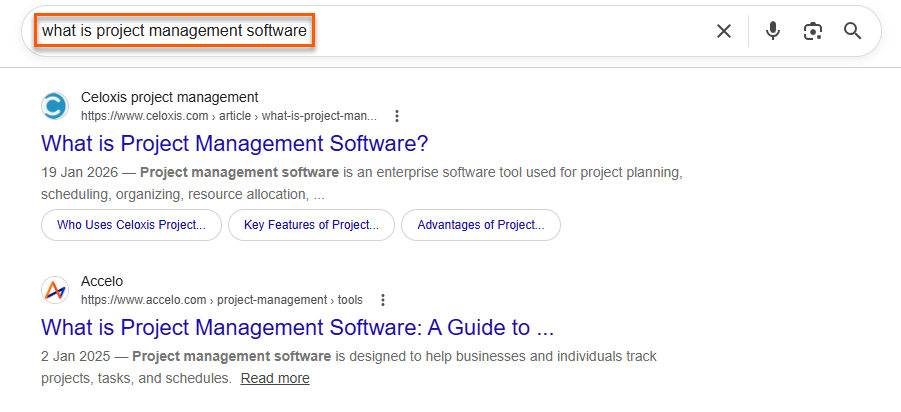
These topics can help a SaaS brand reach people early, build awareness, and explain the problem in a useful way.
But they usually convert slowly.
Many visitors are researching, not buying, so TOFU content needs smart internal links to stronger product-led pages.
Middle-of-Funnel Keywords
Middle-of-funnel keywords come from people who understand their problem and are now comparing possible solutions.
They might search for “best CRM software for startups,” “customer support software for SaaS,” or “email marketing tools for agencies.”
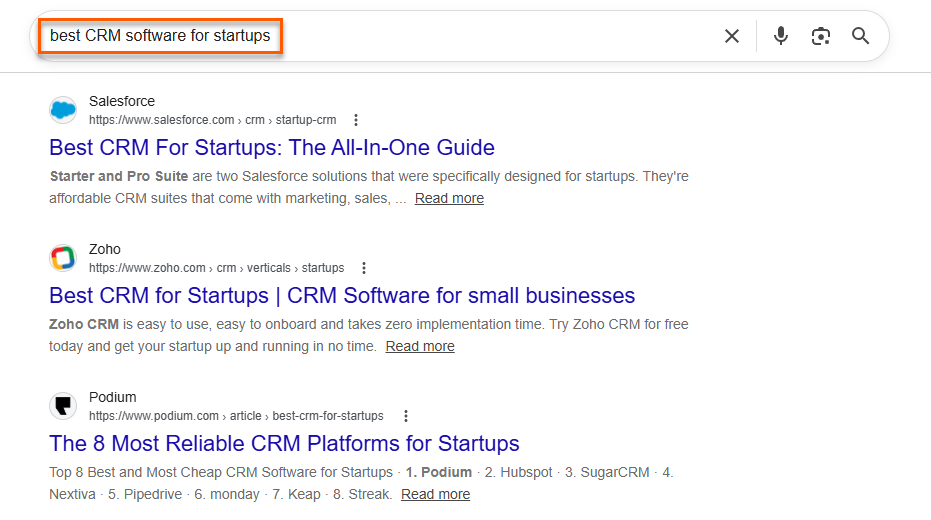
These searches usually show stronger commercial intent because the reader is no longer just learning. They are weighing options.
This is where SaaS SEO gets more interesting.
A good MOFU page should help the buyer compare choices, understand trade-offs, and see where your product fits without sounding like a forced sales pitch.
Bottom-of-Funnel Keywords
Bottom-of-funnel keywords come from people who are close to making a decision.
They search for things like “[competitor] alternatives,” “[tool] vs [tool],” “[software] pricing,” or “[software] integrations.”
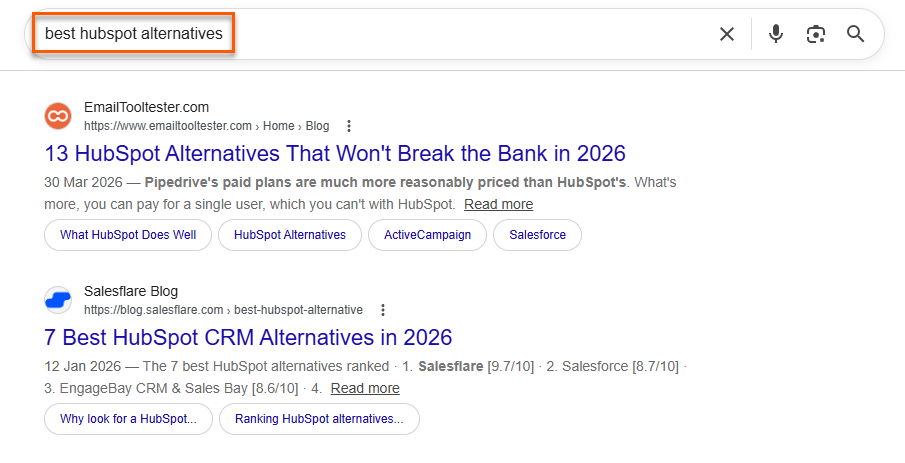
These keywords often have lower search volume, so they can look less exciting in keyword tools.
But they usually have stronger conversion potential because the buyer is already evaluating specific products.
BOFU pages should answer practical buying questions, show proof, explain differences clearly, and make the next step easy, whether that is starting a trial or booking a demo.
Key SaaS SEO Page Types
Product and Feature Pages
Product and feature pages target users searching for a specific capability.
Someone might look for automated reporting, team permissions, client portals, workflow approvals, or AI meeting notes.
These pages should do more than list features. They need to explain what the feature helps users do, when it matters, how the workflow looks, and why the product handles it well.
Add screenshots, short examples, customer proof, FAQs, and a clear next step.
HubSpot’s Sales Software page is a perfect example.
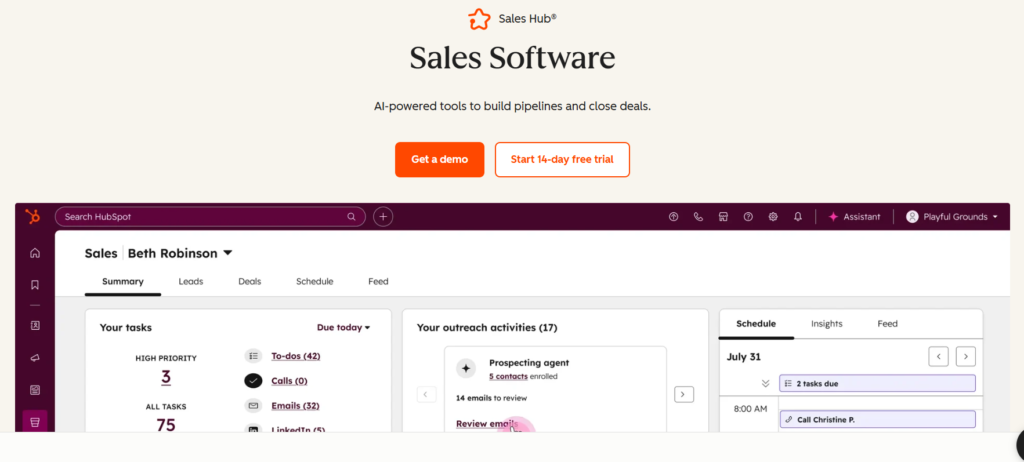
With clear screenshots, they explained how the tool works and what the user gets.
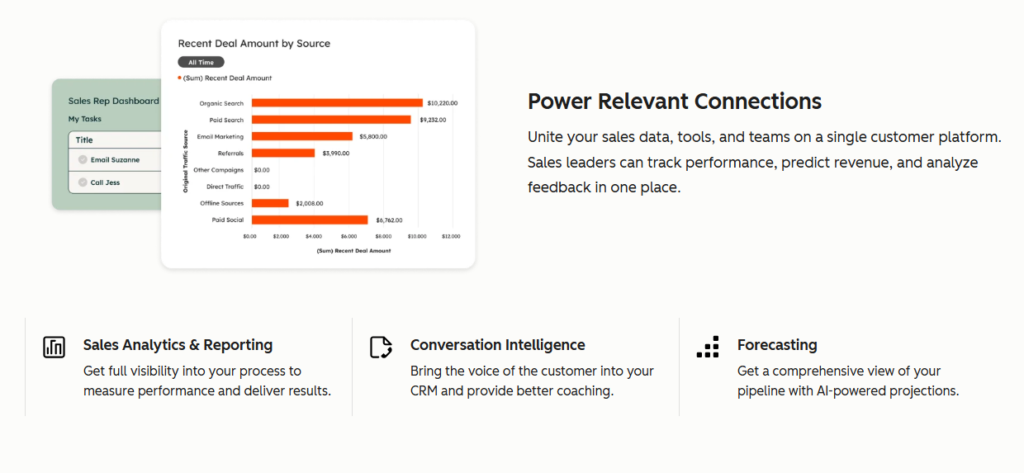
They also added customer proof to increase conversion.
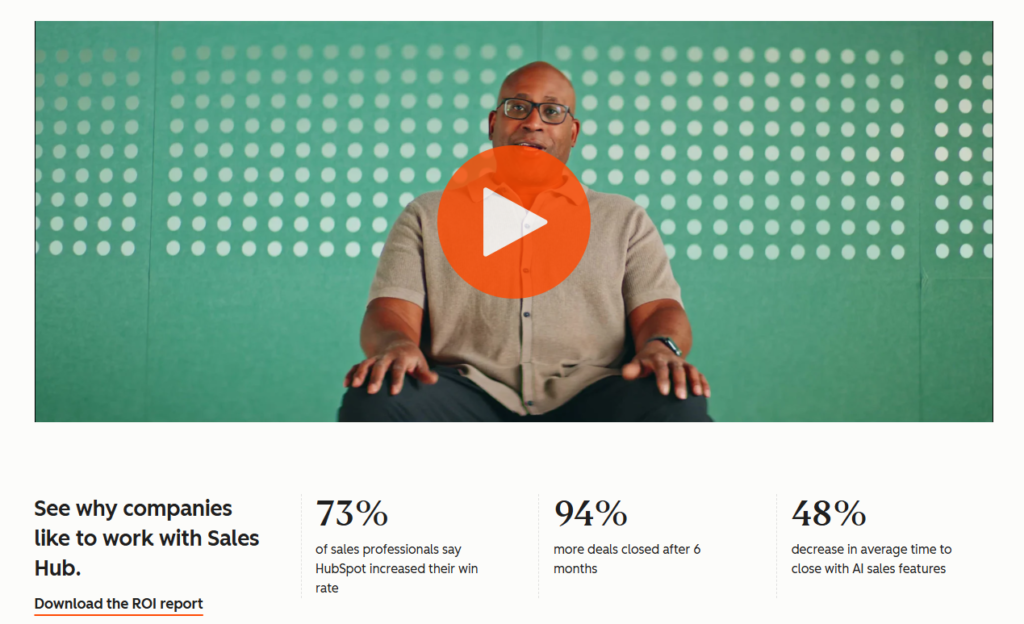
Last but not least, there is an FAQ section handling objections.
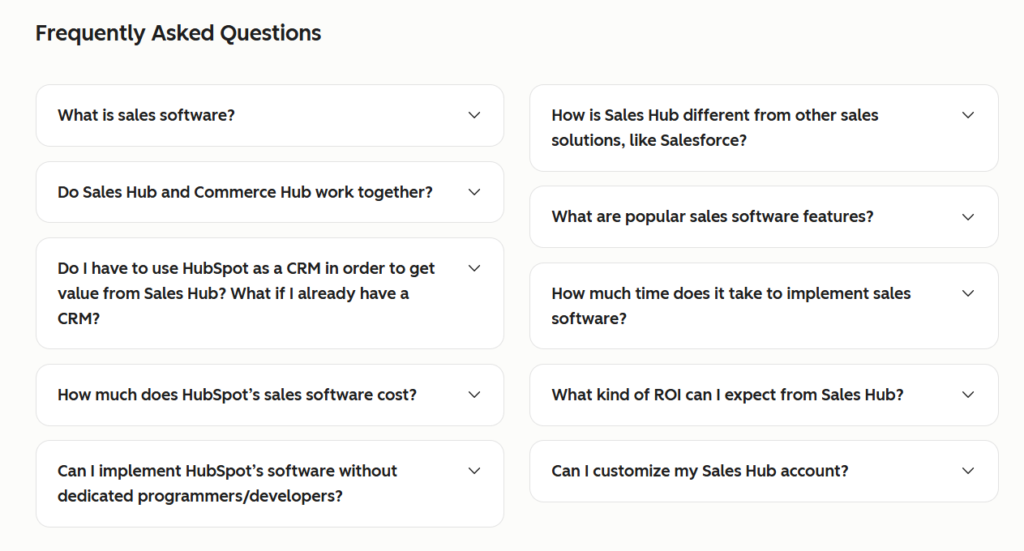
That’s an excellent product page.
There is no typical length for product pages. But thin feature pages usually struggle because they give search engines and buyers very little to trust.
Use Case Pages
Use case pages connect the product to a specific problem, audience, or job to be done.
Examples include “CRM for sales teams,” “appointment scheduling tool for consultants,” or “project management software for agencies.”
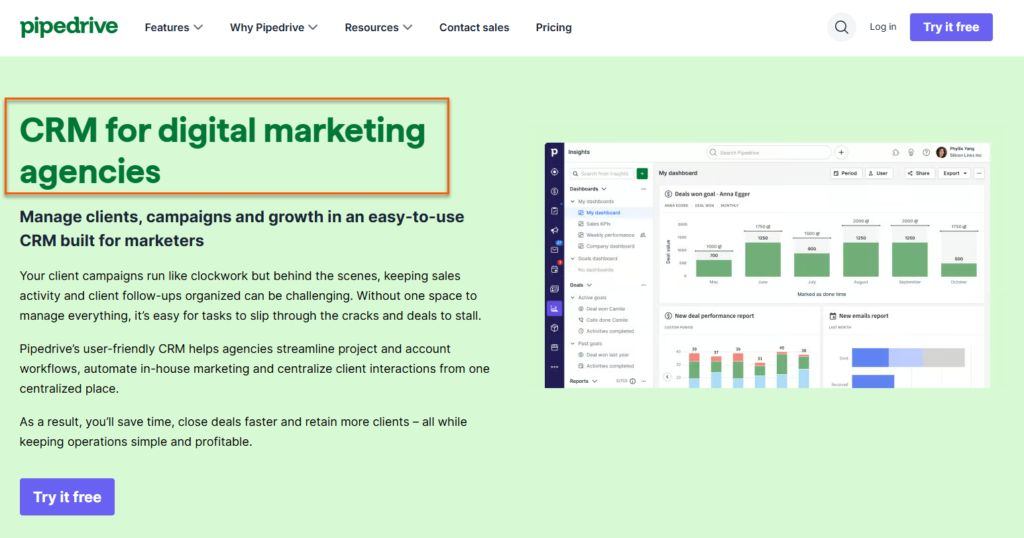
These pages often convert better because the visitor can immediately see themselves in the copy. Instead of talking about the product in general, the page shows how it fits a real situation.
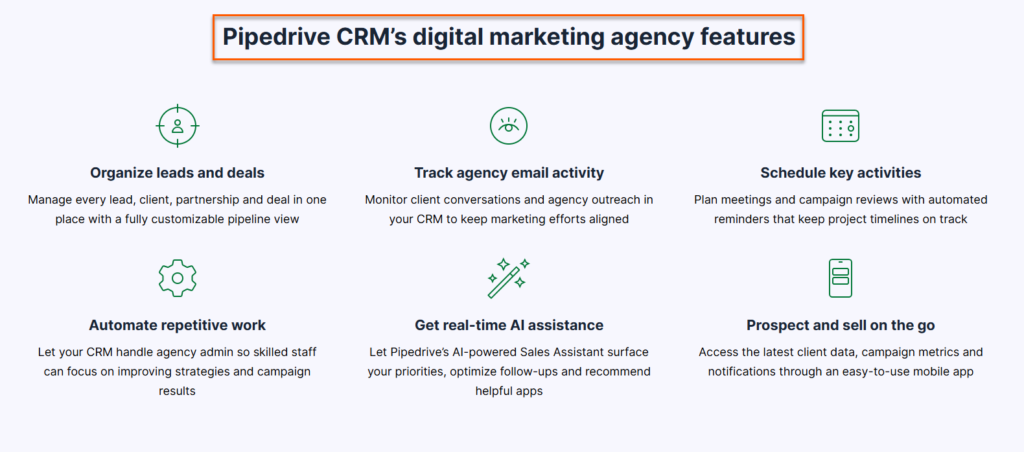
A strong use case page explains the pain, the workflow, the outcome, and the product’s role without turning the whole page into a feature dump.
Comparison Pages
Comparison pages target searches like “Tool A vs Tool B.” Buyers use these pages when they have narrowed their options and need help deciding.
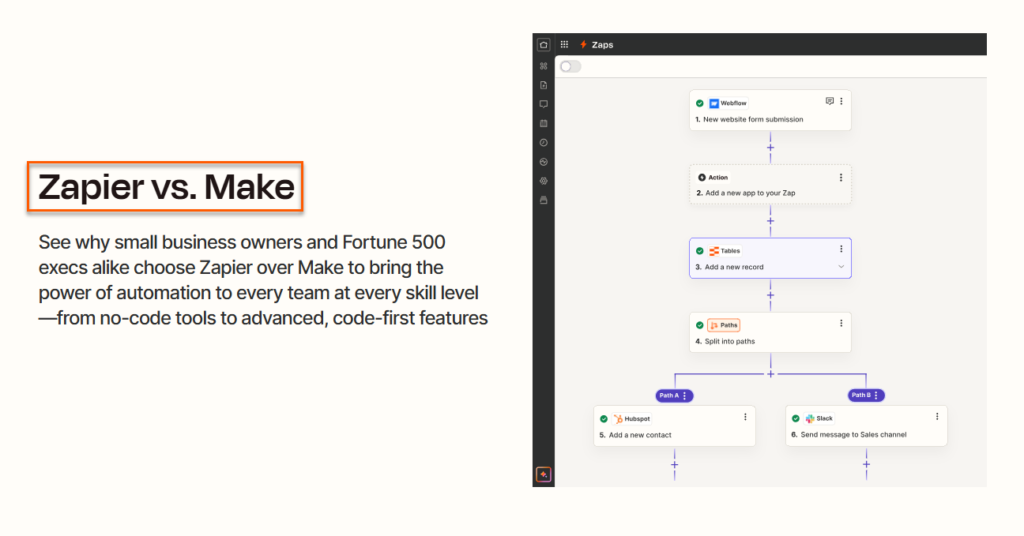
This is a delicate page type because people can sense a biased sales pitch quickly.
A good comparison page should be fair, specific, and honest. It should explain who each tool suits, where each one is stronger, pricing differences, key features, limitations, and switching considerations.
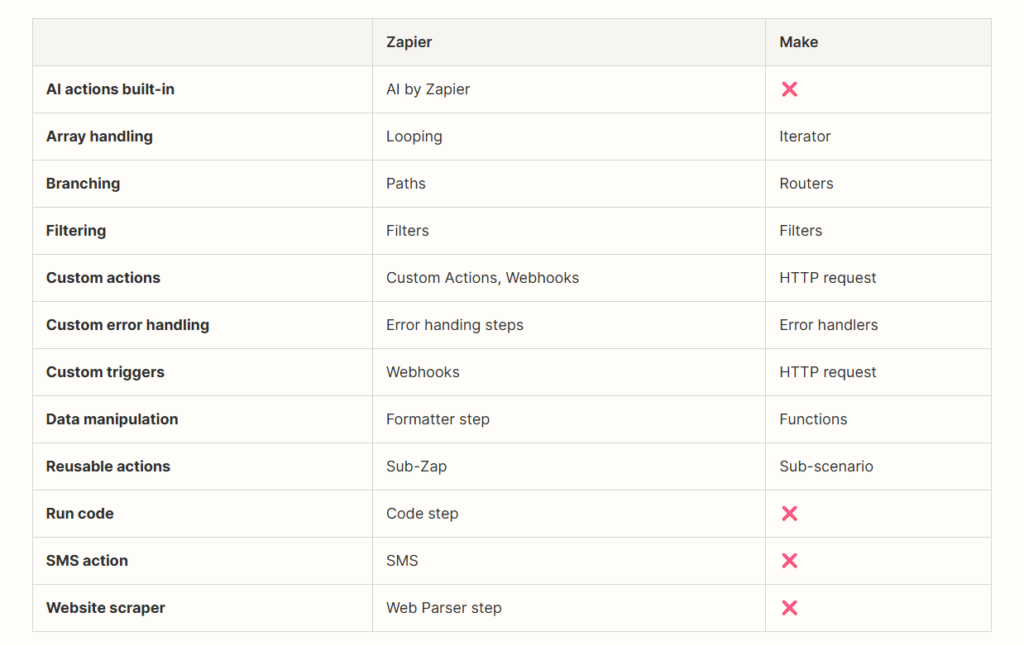
You can still position your product strongly, but the page needs to feel useful enough that the reader trusts it.
Alternative Pages
Alternative pages target searches like “[Competitor] alternatives.” These users may feel frustrated with a current tool, limited by pricing, missing features, poor support, or a bad fit for their workflow.
That gives you a serious opportunity, but only if the page speaks to the real switching reason.
For instance, Lindy.ai positions itself as the AI alternative to Zapier.
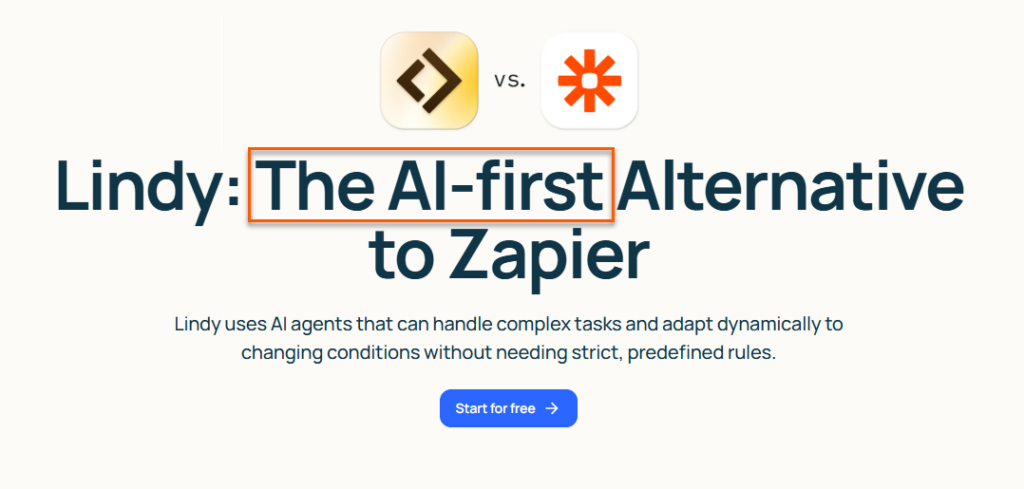
A strong alternatives page should explain why someone might look elsewhere, compare realistic options, and show clear reasons to choose your product.
Just like Lindy.ai did with their Zapier alternative page.
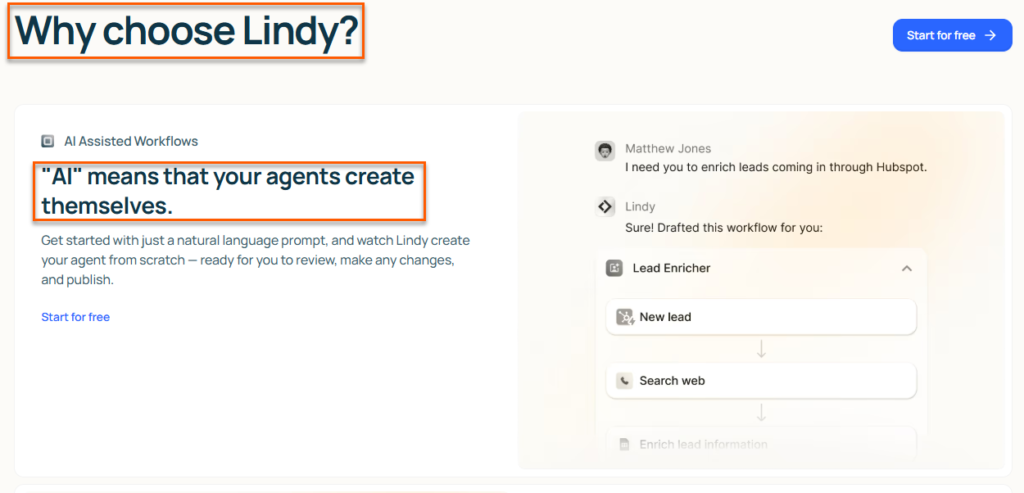
Avoid lazy claims like “better and easier.” Buyers want specifics before they even consider moving.
Integration Pages
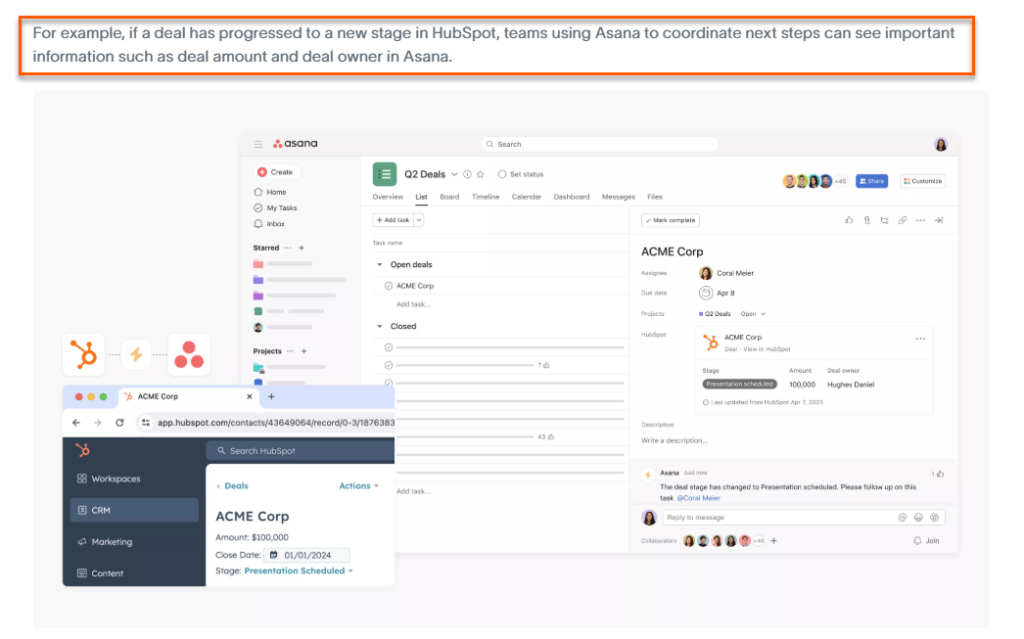
Integration pages target searches like “[software] integration with Slack,” “[CRM] integration with Gmail,” or “[project management tool] integration with HubSpot.”
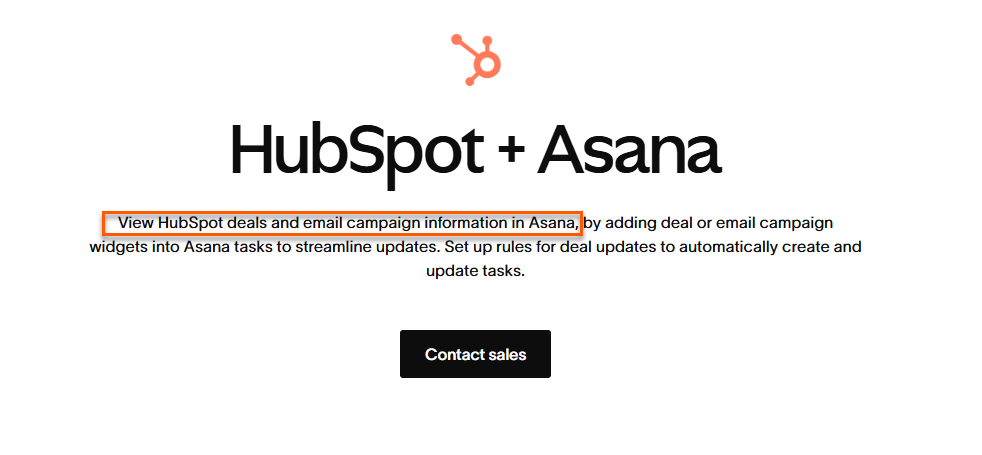
These pages work especially well when integrations influence the buying decision.
Many SaaS buyers don’t judge a product alone. It has to fit into the tools they already use.
A good integration page should explain what the integration does, what data moves between tools, common workflows, setup basics, and the business reason it matters.
Use a lot of screenshots and use cases.
Blog Content
Your blog content matter a lot in SaaS SEO, but it needs a job.
A blog should answer buyer questions, support product and use case pages, and help the site build topical authority around problems the product solves.
Random educational posts can bring traffic, but that traffic may never turn into trials, demos, or pipeline.
The better approach is to create blog content that connects naturally to commercial pages.
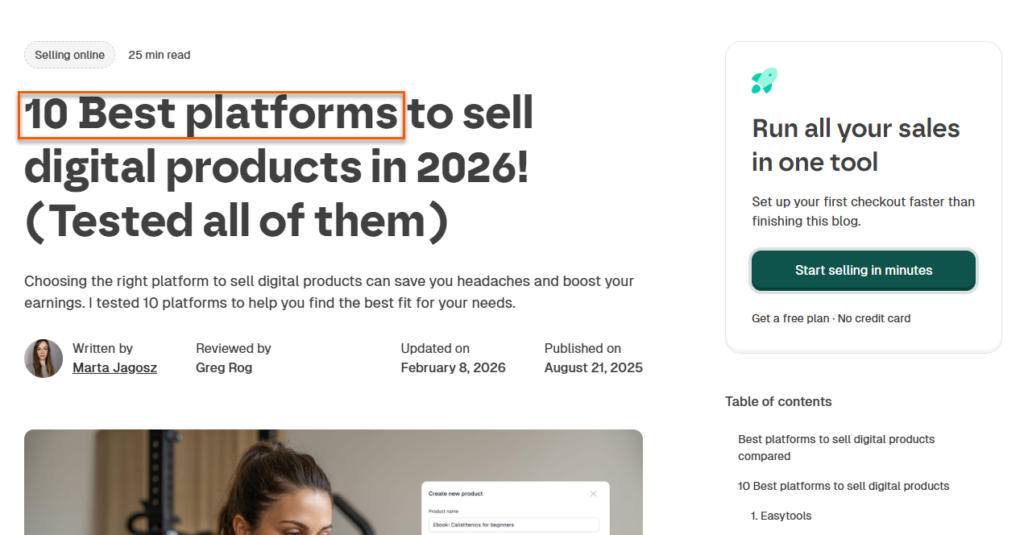
For example, a churn article can link to retention software pages, templates, comparison content, or relevant product workflows. Or a listicle post like ‘X best tools’ can lead the reader to the pricing and sign-up pages.
How to Build an SaaS SEO Strategy: Step-by-Step
Step 1: Define the Revenue Goal
Start with the business goal before you open any keyword tool. Ask what SEO needs to support right now:
- more demo requests,
- free trial signups,
- upgrades,
- expansion revenue, or
- enterprise conversations.
The answer changes the strategy.
- If the company needs demos, prioritize comparison, use case, and solution pages.
- If it needs more free trials, focus on product-led pages with clear signup paths.
- If it wants enterprise leads, create pages around security, compliance, team workflows, and industry-specific use cases. Also set a number.
Your revenue goal needs to be SMART: Specific, Measurable, Achievable, Relevant, and Time-bound.
For example, “We need 40 demo requests per month from organic search for the next six months.”
That gives your SEO work a direction. Without this, you may end up ranking unnecessary pages do very little for revenue.
Step 2: Identify the Best-Fit Buyers
Define who the software is really for before you write content. Go beyond “marketing teams” or “small businesses.”
List the buyer’s
- industry,
- company size,
- job title,
- pain points,
- buying triggers,
- current tools, and
- the reason they would switch.
For example, a CRM may serve startup founders, sales managers, and revenue teams, but each group searches differently. One may care about pipeline visibility. Another may care about automation. Another may care about pricing and setup time.
Use sales calls, chat transcripts, CRM notes, review sites, and customer interviews to find the exact language buyers use.
Then bring that language into your pages.
Another tip, one of my favorites, is to list the keywords your ICP is searching and is NOT searching, and break it down by journey stage.
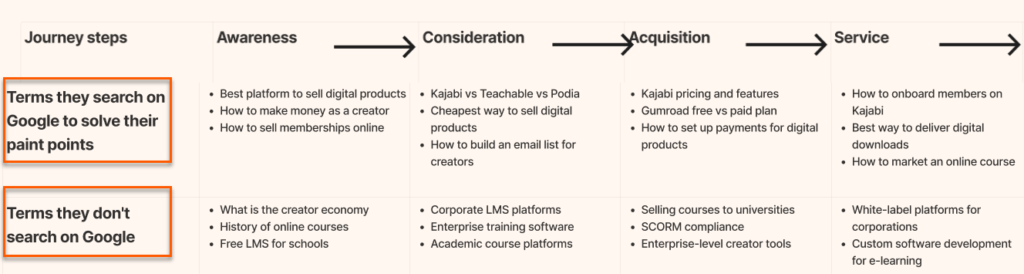
This is important because it tells you what to focus on. You first prioritize the topics your ICP searches when ready to buy, then create educational content later.
Step 3: Map Keywords to the Buyer Journey
Group your keywords by intent before choosing what to create.
Put educational searches in top-of-funnel, tool and category searches in middle-of-funnel, and pricing, comparison, alternative, integration, and demo-related searches in bottom-of-funnel.
Then score each keyword by business potential, not search volume alone.
A keyword with 150 monthly searches can beat one with 10,000 if it brings buyers closer to purchase.
For example, let’s say you sell Asana, the project management software. The keyword ‘What is project management software’ has a US search volume of 2,500.
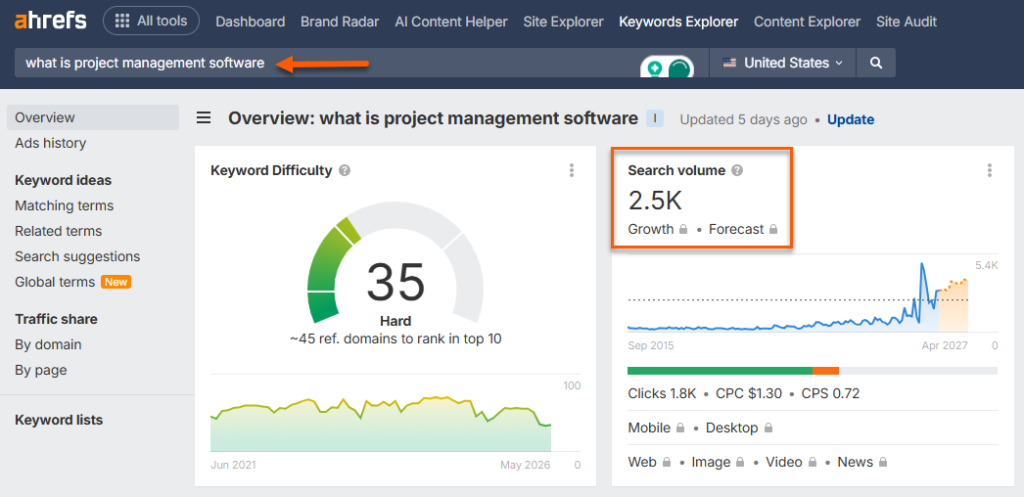
You might be tempted to write it now. But your ICP is not searching for that. They already know what a PM tool; now they are trying to choose one.
So a keyword like ‘ClickUp vs Asana’ is more important, even if the search volume is only 800, 3x less than the last keyword.
So build a simple priority list: high intent first, strong product fit second, reasonable ranking difficulty third.
This prevents the classic SaaS SEO mistake of publishing endless broad blog posts while the money pages stay thin.
Now that you have your keywords, let’s make our hrands dirty and build key pages.
Step 4: Create Revenue-Focused Pages
Build pages that help buyers make decisions.
Start with comparison pages, alternative pages, use case pages, feature pages, integration pages, and pricing-related content where appropriate.
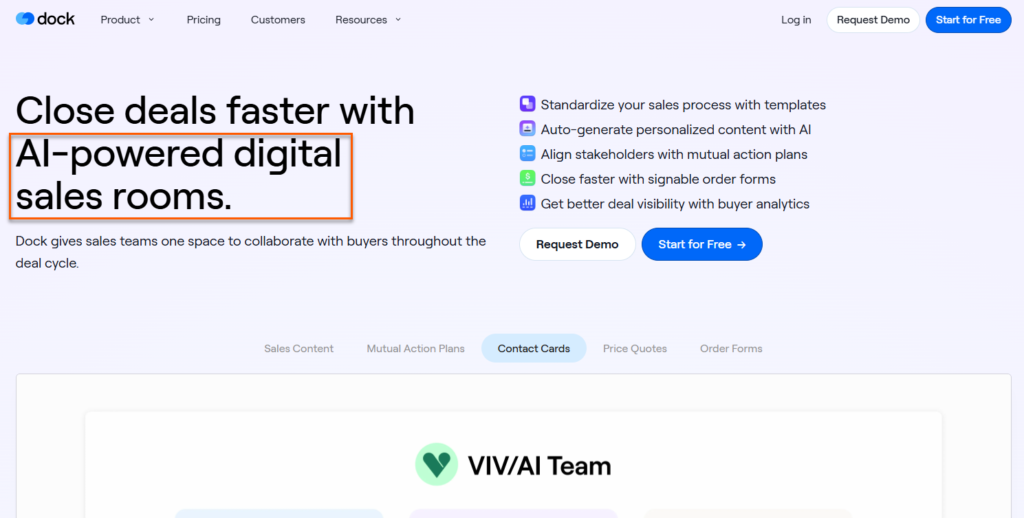
Each page should answer a clear buying question.
What problem does this solve? Who is it for? How does it work? Why choose this product? What should the reader do next?
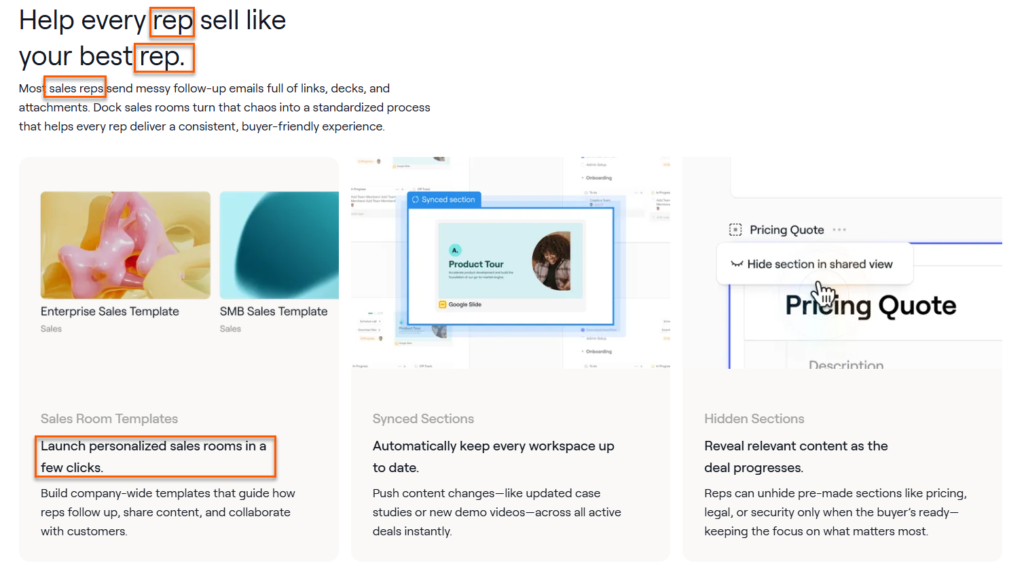
Add screenshots, product examples, customer proof, FAQs, and internal links to related pages.
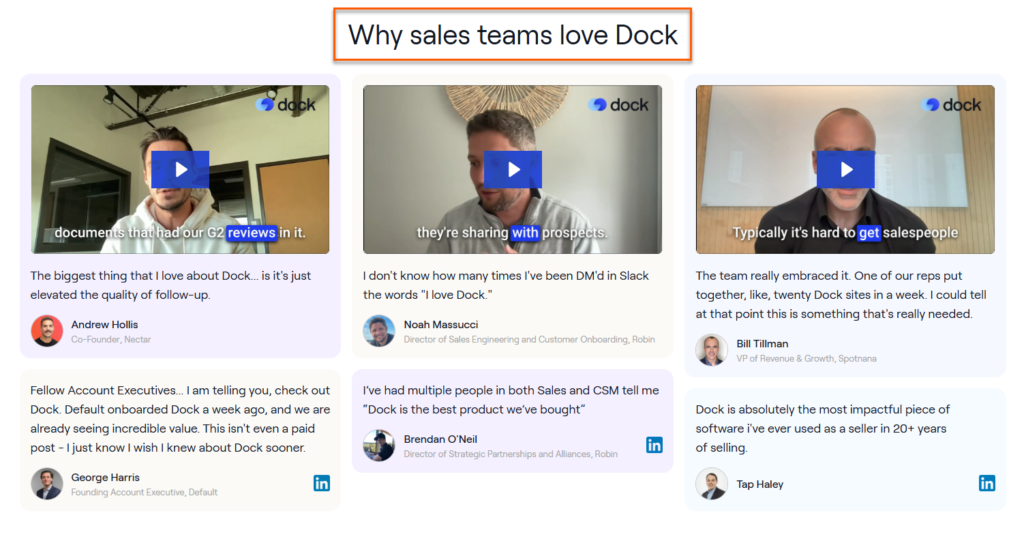
Do not hide the conversion path at the bottom like an afterthought. Add clear calls to action where the reader naturally needs the next step.
A revenue-focused page should rank, educate, reduce doubt, and move the visitor toward a trial, demo, or sales conversation.
Step 5: Build Supporting Blog Content
Use blog content to support your commercial pages, not to chase every broad topic in the industry.
Start by looking at your product, use case, and comparison pages.
Then ask: what questions would a buyer ask before they reach this page?
Those questions become supporting blog topics.
For example, if you sell churn software, articles about churn reasons, retention tactics, cancellation surveys, and customer health scores can support your product-led pages.
Also write the content your ideal customers search when considering a product. Topics like
- best [niche] tools
- tool vs tool
- best [tool] alternatives
- [competitor] pricing explanation
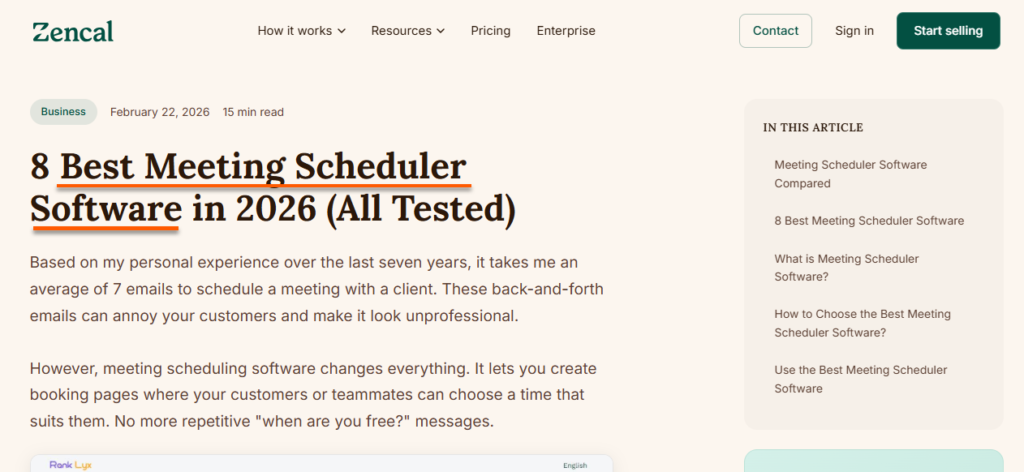
Add internal links from these articles to the relevant use case or feature pages.
Keep each blog post connected to a business goal. If you cannot link the topic to a product, use case, pain point, or buyer question, don’t priority it.
Step 6: Improve Technical SEO
SaaS technical SEO helps search engines find, crawl, index, and understand your most important pages.
Start with the basics:
- check that key pages are indexable,
- fix broken links,
- improve page speed,
- remove duplicate pages, and
- make sure your internal links point to the pages that matter.
Then look at SaaS-specific issues.
- Do feature pages compete with blog posts for the same keyword?
- Are integration pages too thin?
- Does the help center create duplicate content?
- Can Google properly render important product content?
Prioritize fixes that protect rankings and conversions. A slow pricing page, a noindexed comparison page, or a buried use case page can hurt revenue more than a minor blog issue.
Step 7: Measure and Improve
Last but not least, track performance at the page level.
Rankings and traffic matter, but pair them with trial signups, demo requests, MQLs, SQLs, pipeline, and revenue where possible.
Which BOFU pages bring conversions? Which blog posts attract traffic but no business action? Which pages rank on page two and need updates? Use this data to decide what to improve next.
Many YouTube videos teach how to track these SEO marketing metrics in Google Analytics for free.
Use this data to decide what to improve next.
Add missing FAQs, strengthen weak sections, improve CTAs, update screenshots, build internal links, or create supporting content around pages that already show potential.
Your SaaS SEO should become more precise over time.
Key SaaS SEO Metrics to Track
1. Organic Traffic
Organic traffic matters, but you should never treat it as the full story. A SaaS blog post can bring thousands of visitors and still produce almost no trials, demos, or sales conversations.
That is why traffic needs segmentation by page type and intent.
Separate blog traffic from
- feature pages,
- use case pages,
- comparison pages, and
- alternative pages.
A bottom-of-funnel page with 300 visits may create more business impact than a broad educational article with 10,000 visits.
The question is not only “how many people came?” It is “who came, and what did they do next?”
2. Keyword Rankings
Keyword rankings help you understand whether your SaaS SEO work is gaining visibility, but not every ranking deserves the same attention.
Track commercial and product-led keywords first, especially terms around features, use cases, alternatives, comparisons, pricing, and integrations.
These keywords usually sit closer to signups, demos, and pipeline.
Ranking for a broad definition keyword can feel good, sure, but it may not move the business.
The goal is to know whether your most important pages are climbing for searches that real buyers use before making a decision.
3. Demo Requests and Trial Signups
Demo requests and trial signups are stronger indicators of SaaS SEO performance than traffic alone.
If organic visitors are taking these actions, your pages are moving buyers toward the product.
Track which landing pages generate conversions, not just how many conversions organic search produces overall.
This helps you understand whether blog posts, comparison pages, feature pages, or use case pages contribute most.
Once you see that clearly, you can update weak pages, build more of what works, and connect SEO activity to business outcomes.
4. Marketing Qualified Leads (MQLs) and Sales Qualified Leads (SQLs)
SaaS teams also need to know whether organic leads are qualified.
A page can generate form fills, but those leads may come from students, tiny companies, poor-fit industries, or people with no buying power.
That is why marketing qualified leads and sales qualified leads matter.
Track lead quality alongside lead volume. Look at
- job titles,
- company size,
- use case,
- budget fit, and
- sales feedback.
Your sales team can often tell you which pages attract serious buyers. That feedback makes your SaaS search engine optimization smarter because you stop optimizing only for clicks.
5. Pipeline and Revenue
The strongest SaaS SEO programs connect organic search to pipeline and revenue.
This usually means using CRM tracking, attribution, landing page reports, and source data to see which pages influence deals.
It will never be perfectly clean, because buyers visit multiple pages and channels before converting. Still, you need a serious attempt at measurement.
Track which organic landing pages create qualified opportunities, closed deals, expansion conversations, or assisted revenue.
That gives SEO a clearer business case. Otherwise, the channel can look busy while its real impact stays unclear.
Is SaaS SEO Worth It?
SaaS SEO is worth it when your buyers already search for the problems, product categories, competitors, integrations, or use cases your software covers.
It works best when you have clear positioning, a strong offer, and enough patience for organic growth to mature. It then connects search intent to trials, demos, pipeline, and revenue.
SaaS SEO FAQs
What is SaaS SEO?
SaaS SEO is the process of improving a software company’s visibility in search engines so potential users can find it. It covers product pages, blog content, comparison pages, technical SEO, internal links, and backlinks.
The goal is to attract people who may start a trial, book a demo, or become customers.
Why is SEO important for SaaS companies?
SEO helps SaaS companies reach buyers when they are already searching for answers, tools, competitors, or alternatives. It can also lower CAC, shorten deal cycles, and reduce reliance on paid ads over time.
What are the best keywords for SaaS SEO?
The best SaaS SEO keywords usually have strong business potential. These include comparison keywords, alternative keywords, pricing searches, integration terms, use case keywords, and feature-related searches.
High-volume educational keywords can help, but they should support pages that move buyers closer to trial or demo.
What pages should a SaaS company create for SEO?
Most SaaS companies should create product pages, feature pages, use case pages, comparison pages, alternative pages, integration pages, and strategic blog posts.
Does SaaS SEO only mean writing blog posts?
No. Blog posts are only one part of SaaS SEO. A strong strategy also includes product-led pages, technical SEO, internal linking, link building, conversion improvements, and page updates.
How do you measure SaaS SEO success?
Measure SaaS SEO by rankings and qualified traffic, but also by demo requests, trial signups, MQLs, SQLs, pipeline, and revenue.
Is SaaS SEO worth it for early-stage startups?
It depends on search demand and positioning. If people already search for the problem, category, or competitors, SEO can help. But if the category is new or the product message is still unclear, outbound, partnerships, or founder-led content may create faster learning first.
Can SaaS SEO generate leads?
Yes, SaaS SEO can generate leads when it targets the right intent. Pages around use cases, comparisons, alternatives, pricing, features, and integrations often bring visitors who are closer to buying.